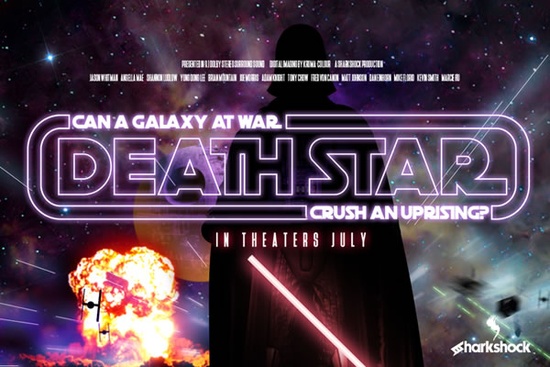
If you're a fan of the epic space saga and looking for a font that captures its iconic style, the Death Star Font is a fantastic choice. This unique, all-caps display font brings a retro, 80’s vibe to your designs, making it perfect for logos, t-shirts, and blog graphics.
What Makes Death Star Font Stand Out?
The Death Star Font is a grotesque display font with geometrically rounded curves and minimal stroke width variation. This combination gives it a distinctive, retro look that can add a touch of nostalgia to your projects. The font is limited to basic Latin characters and punctuation, but it includes a variety of alternates and ligatures to help you create more dynamic and interesting designs.
How to Use Death Star Font in Your Projects
To get the most out of the Death Star Font, you can use any program that supports OTF (OpenType) features. These features allow you to access the included alternates and ligatures, which can be found in the glyphs panel of some design software. For the best results, especially when using the outlines version, you may need to manually select the alternates from the Glyphs panel due to the overlapping nature of the glyphs.
Tips for Using Death Star Font Effectively
- Kerning: The kerning in this font is extremely tight, so it's best used at larger sizes. This makes it ideal for headlines, titles, and other prominent text elements.
- Pairing: For an authentic movie poster feel, try pairing the Death Star Font with Deutschlander. This combination can give your designs a classic, cinematic look.
- Alternates and Ligatures: Make sure to explore the included alternates and ligatures to add variety and interest to your text. These can be accessed through the glyphs panel in most design software.
Where Can You Use Death Star Font?
The Death Star Font is versatile and can be used in a wide range of creative projects. Here are some ideas:
- Logos: Create a bold and memorable logo for your brand or client.
- T-Shirts: Design eye-catching t-shirts for fans of the space saga or for your own personal collection.
- Blogs and Websites: Add a retro, 80’s vibe to your blog headers and website graphics.
- Posters and Flyers: Craft authentic-looking movie posters or event flyers with a nostalgic touch.
Other Fonts to Consider
If you’re looking for more options to complement or expand your design toolkit, here are a few other fonts you might like:
- Stacked Remember – A clean, modern display font that can work well with the Death Star Font.
- Gilligan Karl – A quirky, hand-drawn font that adds a playful touch to your designs.
- Cowboy Howdy – A western-style font that can bring a different flavor to your projects.
- Magic Retro – Another retro-inspired font that can complement the Death Star Font nicely.
Final Thoughts
The Death Star Font is a great addition to any designer's toolkit, especially if you love the retro, 80’s aesthetic. Its unique style and versatility make it suitable for a wide range of projects, from logos and t-shirts to blog graphics and posters. Don't forget to explore the included alternates and ligatures to add extra flair to your designs. Happy creating!
Next Steps:
- Download and install the Death Star Font from Creative Fabrica.
- Explore the glyphs panel in your design software to find and use the included alternates and ligatures.
- Experiment with pairing the Death Star Font with other complementary fonts like Deutschlander.
- Create a test project, such as a movie poster or t-shirt design, to see how the font looks in action.
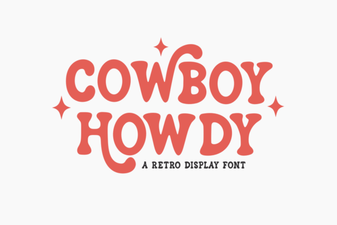 Cowboy Howdy Font Design Ideas & Tips
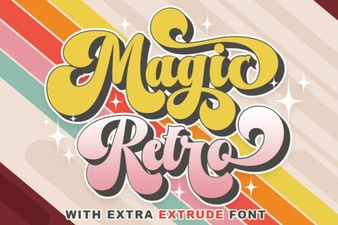 Spark Your Design with Magic Retro Fonts
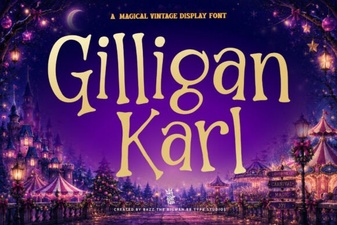 Gilligan Karl Font for Creative Projects
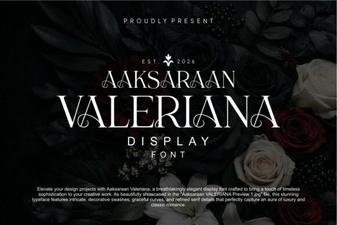 Aaksaraan Valeriana Font Design & Uses
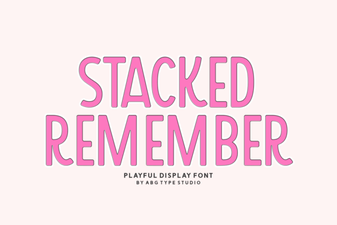 Stacked Remember Font: Design Tips & Creative Uses
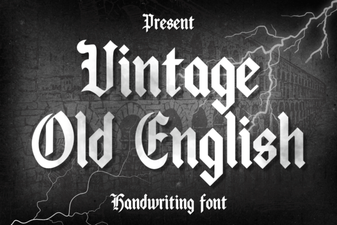 Crafting Projects with Vintage Old English Fonts